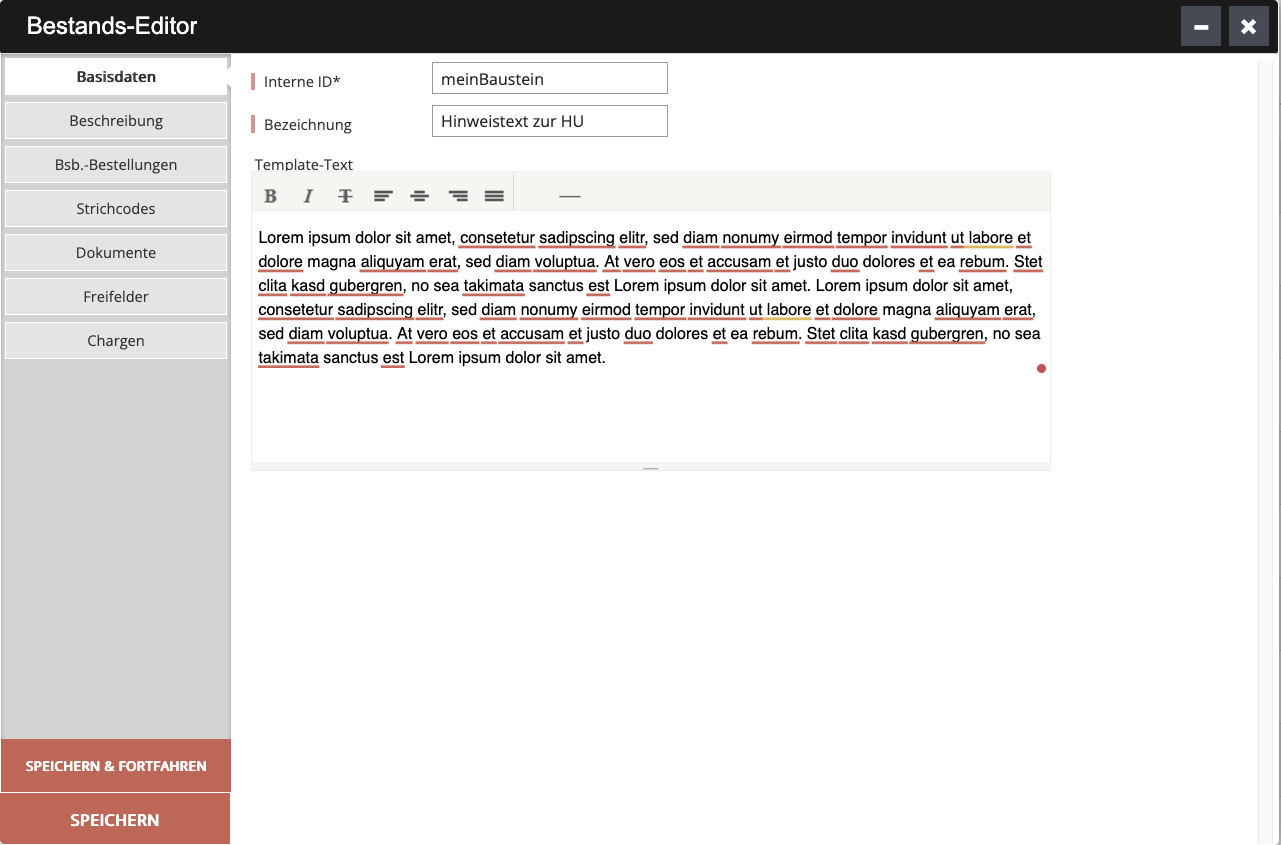
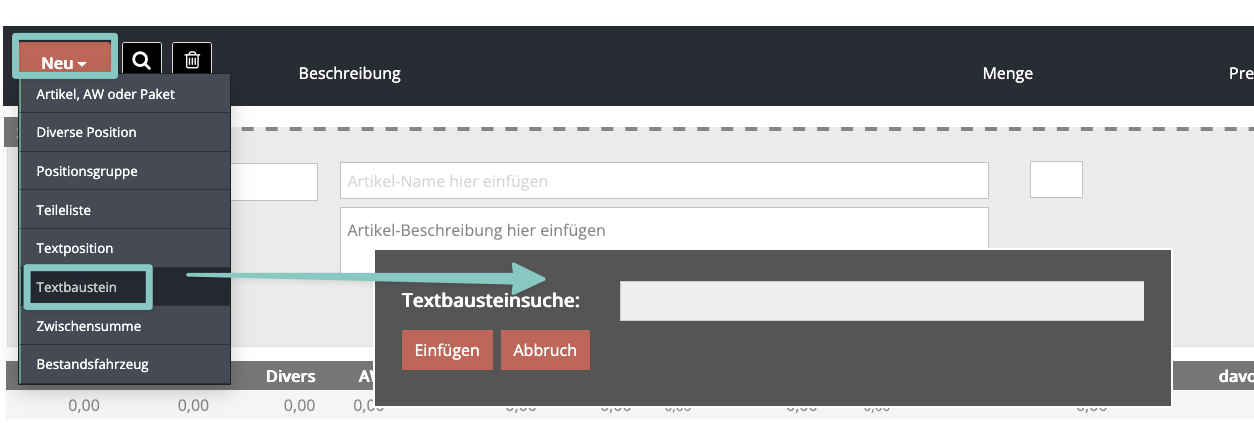
1. Textbaustein anlegenNavigieren Sie im Hauptmenü zum Bereich „Warenwirtschaft“. Wählen Sie dort im „+“ Menü die Kategorie „Textbaustein“ aus. Vergeben Sie eine aussagekräftige Bezeichnung und geben Sie den gewünschten Text ein. Speichern Sie den Textbaustein ab. Er steht Ihnen ab sofort als wiederverwendbare Vorlage zur Verfügung.2. Textbaustein auf einem Auftrag einfügenÖffnen Sie den gewünschten Auftrag (Rechnung, Angebot etc.). Klicken Sie im Positionsbereich auf den Button NEU, um eine neue Position hinzuzufügen. Wählen Sie als Positionstyp Textbaustein aus. Es erscheint eine Suche, wie Sie den Textbaustein unter Angabe des Suchbegriffs finden können. Wählen Sie den gewünschten Textbaustein aus – der hinterlegte Text wird automatisch als Position in den Auftrag übernommen.Tipp: Textbausteine eignen sich ideal für wiederkehrende Hinweise, AGB-Auszüge, Zahlungsbedingungen oder andere Standardtexte, die Sie regelmäßig auf Ihren Dokumenten verwenden möchten.
Die Webseiten der Knowledge Base der CATAMA Software verwenden Cookies. Cookies sind Textdateien, welche über einen Internetbrowser auf einem Computersystem abgelegt und gespeichert werden.Zahlreiche Internetseiten und Server verwenden Cookies.
This website uses cookies to improve your experience while you navigate through the website. Out of these cookies, the cookies that are categorized as necessary are stored on your browser as they are essential for the working of basic functionalities of the website. We also use third-party cookies that help us analyze and understand how you use this website. These cookies will be stored in your browser only with your consent. You also have the option to opt-out of these cookies. But opting out of some of these cookies may have an effect on your browsing experience.
Necessary cookies are absolutely essential for the website to function properly. This category only includes cookies that ensures basic functionalities and security features of the website. These cookies do not store any personal information.
Any cookies that may not be particularly necessary for the website to function and is used specifically to collect user personal data via analytics, ads, other embedded contents are termed as non-necessary cookies. It is mandatory to procure user consent prior to running these cookies on your website.